Category: Software

  • GCC Service Provider Guide: Scale Your Offshore Team with Control

    Let’s be honest for a second. Traditional outsourcing is broken.

    You’ve probably been there. You hire a vendor to handle your dev work or back-office ops. Six months later, you’re dealing with code spaghetti, missed deadlines, and a team that doesn’t care about your company culture because they’re juggling five other clients simultaneously.

    It’s frustrating. But you can’t ignore the talent shortage in the US or the cost benefits of going global.

    So, what’s the alternative?

    Global Capability Centers (GCCs) have moved beyond the massive Fortune 500s and are now accessible to growth-stage companies. It’s the “Goldilocks” solution: you get the cost arbitrage of offshoring, but you keep the IP, the culture, and the control of having your own team.

    But setting one up alone is a logistical nightmare. That’s where the provider comes in.

    Key Takeaways

    • Ownership is King: Unlike BPOs, a GCC is your entity. You own the code, the processes, and the team.
    • The Middleman is Gone: A GCC Service Provider helps you build the infrastructure, then hands the keys over to you.
    • Cost Efficiency: You can save 40-60% on operational costs compared to US hiring, without the markup of traditional vendors.

    What Actually is a GCC Service Provider?

    Think of a GCC Service Provider as a specialized architect and general contractor rolled into one.

    If you wanted to build a house in a foreign country, you wouldn’t just show up with a hammer and hope for the best. You don’t know the zoning laws, the best suppliers, or the local labor market.

    A GCC Service Provider handles the “heavy lifting” of establishing your presence in a talent hub (like India, Poland, or the Philippines). They handle:

    1. Legal Incorporation: Navigating the labyrinth of local compliance.
    2. Real Estate: Finding an office that looks and feels like your HQ.
    3. Talent Acquisition: Scouting top-tier talent that you interview and select.
    4. HR & Payroll: Managing the boring (but risky) backend stuff.

    The goal? To get your center up and running in months, not years.

    GCC vs. Traditional Outsourcing: The Showdown

    Most leaders confuse GCCs with traditional BPOs (Business Process Outsourcing). They aren’t the same sport, let alone the same league.

    Here is the breakdown:

    Feature Traditional Outsourcing (Vendor) GCC Service Provider (Partner)
    Team Loyalty To the Vendor To You (Your Brand)
    IP Protection Riskier; shared resources High; strict firewalls & ownership
    Cost Structure Hourly Rate (includes markup) Cost Plus (transparent salaries)
    Culture Their culture Your culture extended
    Control Low visibility 100% Operational Control

    The “Build-Operate-Transfer” (BOT) Model

    This is the industry standard, and for good reason. It minimizes your risk.

    When you engage a GCC Service Provider, you typically engage in a BOT model:

    • Build: The provider sets up the legal entity, office, and IT infrastructure. They hire the initial team based on your specs.
    • Operate: They manage the day-to-day administration (payroll, compliance, facilities) while you manage the work and performance.
    • Transfer: Once the center is stable (usually 12-24 months), the provider transfers the entire legal entity and assets to you. You walk away with a fully functioning subsidiary.

    It’s like leasing a car with the option to buy it for $1 at the end of the term. You get to test drive the global model without betting the farm on day one.

    Why US Companies are Pivoting to GCCs Now

    Why is this keyword trending in boardrooms right now?

    1. The Talent War is Over (And We Lost)

    Finding niche tech talent in the US is expensive and slow. In hubs like Bangalore or Hyderabad, the talent pool is deep, English-speaking, and highly skilled. A GCC gives you direct access to this pool without a vendor filtering out the best candidates for themselves.

    2. Protecting Your IP

    If you are building proprietary AI or core software products, you cannot afford to have a vendor’s employee working on your code in the morning and your competitor’s in the afternoon. A GCC ensures your data stays within your walls.

    3. Valuation Drivers

    Investors love assets. An outsourced vendor contract is an expense. A wholly-owned subsidiary in a high-growth market is an asset that adds value to your company’s valuation.

    How to Choose the Right GCC Partner

    Not all service providers are created equal. Some are just glorified recruiters; others are real estate agents in disguise.

    When vetting a GCC Service Provider, ask them these three questions:

    1. “What is your transparency policy on salaries?” If they hide the actual salary they pay the engineer and just give you a “blended rate,” run. That’s an agency model. A true GCC partner shows you the exact salary and charges a separate management fee.
    2. “Can you show me a successful ‘Transfer’ case study?” Many providers are great at “Building” and “Operating,” but they drag their feet on “Transferring” because they lose the recurring revenue. Ensure they have a track record of letting go.
    3. “How do you handle employer branding?” The best talent wants to work for your cool US tech brand, not a generic service provider. Your partner should be building your brand in the local market, not theirs.

    Frequently Asked Questions (FAQ)

    Q: What is the minimum team size for a GCC? A: Historically, you needed 500+ seats to make the math work. Today, thanks to modern GCC Service Providers, you can start with a “Micro-GCC” of as few as 20-50 employees and scale up.

    Q: How long does it take to set up? A: If you go it alone? 12 to 18 months. With a GCC Service Provider, you can usually have your legal entity formed and your first wave of hires seated within 90 to 120 days.

    Q: Is a GCC cheaper than outsourcing? A: In the short term (months 1-6), it might be slightly higher due to setup costs. However, over a 3-year period, a GCC is typically 30-40% cheaper than traditional outsourcing because you eliminate the vendor’s profit margin on every single hour worked.

    Ready to Build Your Own Team?

    The era of renting talent is ending. The companies that win in the next decade will be the ones that build global, distributed teams that share a single DNA.

    A GCC Service Provider is your bridge to making that happen without the headaches of international expansion.

    Don’t settle for being just another ticket number in a vendor’s queue. Build something that belongs to you.

    Are you ready to explore the GCC model? Check out [TBlocks GCC Solutions] today and let’s assess your global potential.

  • Beyond the Branch: The Insider’s Guide to Digital Banking Software in 2026

    Let’s be real: when was the last time you actually stepped inside a physical bank? If you’re like most Americans, it’s probably been a while.

    We live in an age where “banking” is a verb that happens on our phones while we wait for coffee. For financial institutions, this shift isn’t just a trend—it’s a survival mandate. If your digital banking software feels like a relic from 2012, your customers are already looking for the exit.

    But choosing the right platform isn’t just about picking the prettiest UI. It’s about building a tech stack that’s secure enough to stop a nation-state hacker and flexible enough to integrate with every new FinTech app that pops up tomorrow.

    Let’s cut through the jargon and look at what actually matters when you’re shopping for the engine that will power your institution’s future.

    Key Takeaways: What You Need to Know Now

    • Customer-Centricity is King: Personalization isn’t optional; it’s the standard.
    • API-First Architecture: Your software must play well with others (think Plaid, Stripe, etc.).
    • Security is a Moving Target: Look for AI-driven fraud detection and zero-trust models.
    • Scalability: Don’t buy for the 10,000 users you have now; buy for the million you want in three years.

    Why “Good Enough” is Killing Your Retention

    Most legacy systems were built for back-office efficiency, not customer delight. They’re “stable,” sure, but they’re also rigid.

    When a customer wants to open a high-yield savings account in three clicks and your software requires a branch visit or a 5-page digital PDF, you’ve already lost. Modern digital banking software needs to be invisible. It should just work, anticipating needs rather than reacting to them.

    The Anatomy of High-Performance Banking Tech

    What separates a mediocre platform from a market leader? It usually boils down to three pillars:

    1. The Core Banking Integration

    Your digital front-end is only as good as the core it’s plugged into. Whether you’re running on a legacy mainframe or a cloud-native core, the integration needs to be real-time. Batch processing is a dinosaur; your customers want to see their transactions the second they swipe.

    2. Omni-Channel Consistency

    Ever started an application on your laptop only to find you have to start all over again on the mobile app? That’s a friction point that kills conversions. True digital banking software provides a “hand-off” experience that’s seamless across desktop, mobile, and even wearables.

    3. Hyper-Personalization

    If I don’t have a mortgage, don’t show me mortgage ads. Using AI to analyze spending patterns allows you to offer the right product at the exact moment the customer needs it. That’s how you turn a utility into a partner.

    Comparing the Giants: SaaS vs. Custom Build

    Should you buy a license or build from scratch? It’s the age-old question.

    Feature SaaS / Off-the-Shelf Custom-Built Software
    Speed to Market Fast (3-6 months) Slow (12-24 months)
    Initial Cost Lower (Subscription-based) Extremely High (R&D + Dev)
    Customization Limited to platform modularity Unlimited
    Maintenance Handled by vendor In-house responsibility
    Ideal For Mid-market banks & Credit Unions Tier-1 Global Banks

    For most institutions, the “Hybrid” approach is winning. You buy a robust SaaS platform that offers an extensive API library, allowing you to build custom “wrappers” or features on top of a stable foundation.

    The Non-Negotiable Features of 2026

    If you’re vetting vendors, keep this checklist on your desk. If they can’t check these boxes, keep walking.

    Biometric Everything

    FaceID and TouchID are the baselines. We’re moving toward behavioral biometrics—analyzing how a user holds their phone or types to detect if an account has been hijacked.

    Instant Payments (FedNow & RTP)

    In the US, the era of “waiting 3 business days” for an ACH transfer is over. Your software must support real-time payment rails like FedNow. If you can’t move money instantly, you’re not a digital bank; you’re a digital mailbox.

    Self-Service Wealth Management

    Customers want to do more than save; they want to invest. Integrating micro-investing, crypto-exposure, or automated “round-up” savings directly into the banking app is a massive engagement driver.

    ESG and Carbon Tracking

    Believe it or not, younger demographics (Gen Z and Millennials) want to see the environmental impact of their spending. Platforms like Meniga or Doconomy are becoming standard plugins for modern banking suites.

    The Hidden Cost of Legacy Technical Debt

    We’ve all seen it. A bank tries to “bolt-on” a mobile app to a 30-year-old COBOL system. It works… until it doesn’t.

    Technical debt is like high-interest credit card debt for your business. You might be saving money this quarter by not upgrading, but the “interest” you pay in lost customers, security vulnerabilities, and slow feature rollouts will eventually bankrupt your innovation strategy.

    Upgrading your digital banking software isn’t an expense; it’s a capital investment in your brand’s relevance.

    Frequently Asked Questions

    What is the difference between online banking and digital banking? Online banking is essentially a web-based version of traditional banking (checking balances, paying bills). Digital banking is a total digital transformation that includes the back-end, front-end, and the delivery of all banking products and services through digital channels, often excluding the need for physical branches entirely.

    How much does digital banking software cost? It varies wildly. Small credit unions might pay $50k-$100k in annual licensing for a white-label solution, while enterprise-grade implementations for large banks can run into the millions when factoring in implementation and custom integrations.

    Is digital banking software secure? Yes, often more so than traditional banking. Modern platforms use multi-factor authentication (MFA), end-to-end encryption, and AI-driven fraud monitoring that can spot suspicious activity faster than any human ever could.

    Can I integrate third-party apps like Venmo or Mint? If the software uses Open Banking standards and robust APIs, yes. This is a critical feature to look for, as customers want their financial data to be portable and accessible across their favorite apps.

    The Bottom Line: Start with the User, Not the Tech

    At the end of the day, your customers don’t care about your tech stack. They care about their lives. They care about buying a home, saving for college, or sending money to a friend for dinner.

    The best digital banking software is the one that gets out of the way. It’s the platform that makes complex financial tasks feel like a breeze.

    Ready to modernize? Don’t just look for a vendor; look for a partner who understands where the US financial landscape is headed. The branch might be shrinking, but the opportunity to connect with your customers has never been larger.

  • What Are the Best Real-Time Protocols for IoT Development?

    Building IoT solutions that react instantly, communicate reliably, and scale effortlessly requires one foundation element that often goes unnoticed: the right real-time communication protocol. As connected ecosystems expand across industries like healthcare, logistics, energy, and smart infrastructure, the pressure on device-to-cloud communication increases. Systems must now deliver millisecond-level responses, support intermittent connectivity, and ensure data integrity in unpredictable network conditions.

    Choosing the right protocol is not just a technical preference. It directly shapes system resilience, performance, power consumption, and long-term operational efficiency. This blog explores the most effective real-time communication protocols used in modern IoT projects and why they continue to dominate high-performance deployments.

    Understanding Real-Time Communication Needs in IoT

    IoT environments are inherently diverse. Devices differ in processing power, memory, battery life, and network stability. Real-time communication refers to the ability of these devices to transmit and receive data with minimal delays, ensuring that actions, alerts, and insights are generated at the moment they are needed.

    Real-time requirements commonly arise in:

    • Remote patient monitoring where any delay in vital signs can risk patient safety

    • Industrial automation where sensors trigger instant control responses

    • Smart mobility systems that depend on fast telemetry

    • Predictive maintenance where continuous data flow is critical

    This complexity makes it essential to choose a protocol that balances performance, reliability, and energy efficiency — a decision that ultimately determines the success of IoT architecture.

    Key Factors When Selecting Real-Time IoT Protocols

    Before exploring the specific protocols, it is important to understand the criteria that guide protocol selection:

    1. Latency Requirements

    Critical systems often need sub-second communication. Protocols must offer deterministic or near-deterministic performance.

    2. Network Conditions

    Devices may operate on cellular networks, Wi-Fi, or low-power wide area networks where packet loss is likely.

    3. Energy Constraints

    Battery-powered devices require lightweight communication overhead to conserve energy.

    4. Security Standards

    Encrypted channels, authentication mechanisms, and access controls are non-negotiable.

    5. Scalability and Interoperability

    Protocols should connect thousands — sometimes millions — of devices without performance degradation.

    With these criteria in mind, let’s examine the leading real-time protocols shaping the IoT landscape.

    MQTT: The Lightweight Champion for Real-Time IoT

    MQTT (Message Queuing Telemetry Transport) is one of the most widely adopted protocols for real-time IoT applications. Designed for low-bandwidth and resource-constrained environments, MQTT offers a publish–subscribe model that makes communication efficient and scalable.

    Why MQTT Works for Real-Time IoT

    • Extremely lightweight with minimal packet overhead

    • Excels in unreliable networks

    • Powered by persistent sessions for continuous communication

    • Supports Quality of Service (QoS) levels for delivery assurance

    • Seamless integration with cloud platforms such as AWS, Azure, and GCP

    MQTT is ideal for telemetry-heavy applications like environmental sensors, asset tracking, fleet monitoring, and home automation. It continues to serve as a core protocol in many internet of things development services where reliability and low power consumption are essential.

    CoAP: A Resource-Efficient Protocol for Constrained Devices

    CoAP (Constrained Application Protocol) is designed specifically for devices with very limited power and memory. Inspired by HTTP but far more lightweight, CoAP enables quick request-response cycles suited for real-time operations.

    Where CoAP Delivers the Most Value

    • Smart building automation

    • Metering systems

    • Environmental monitoring networks

    • Battery-operated, low-memory devices

    Its ability to work over UDP makes it faster than TCP-based protocols in many real-time scenarios. CoAP also offers built-in resource discovery and multicast support, which is invaluable for large sensor networks.

    AMQP: A Reliable and Secure Real-Time Messaging Standard

    AMQP (Advanced Message Queuing Protocol) is known for its robust reliability features. While slightly heavier than MQTT, it provides strong message delivery guarantees, making it the preferred choice for enterprise-grade IoT deployments.

    Why AMQP Stands Out

    • Secure, transactional message handling

    • Excellent for mission-critical industrial systems

    • Designed for multi-node distributed systems

    • Supports large-scale routing and complex topologies

    AMQP excels in sectors that require guaranteed message delivery, such as manufacturing systems, financial monitoring, and enterprise process automation.

    WebSockets: Real-Time, Full-Duplex Communication

    WebSockets offer a persistent, two-way communication channel between clients and servers. They are especially useful when IoT solutions need real-time updates delivered to browser-based dashboards or mobile interfaces.

    Typical Use Cases

    • Real-time fleet dashboards

    • Live device monitoring interfaces

    • Remote equipment control

    • Smart city dashboards

    Because WebSockets maintain an open connection, they provide very low-latency communication, enabling near-instant exchange of data.

    LoRaWAN: Long-Range Communication for Low-Power Devices

    LoRaWAN is not only a communication protocol but also a low-power wide area network (LPWAN) standard used for real-time communication across long distances. It is perfect for rural, industrial, and remote environments where traditional connectivity options are limited.

    Best-Fit Scenarios

    • Agriculture and smart farming

    • Oil and gas pipeline monitoring

    • Water management

    • Smart street lighting

    • Remote asset tracking

    LoRaWAN’s ability to transmit small data packets over many kilometers with years of battery life makes it a leading option for large-scale IoT deployments.

    OPC UA: A Real-Time Standard for Industrial Automation

    OPC UA (Open Platform Communications Unified Architecture) is a powerful protocol used heavily in industrial IoT systems, manufacturing, and SCADA environments.

    Why It Matters in Industrial IoT

    • High security and standardization

    • Platform-independent

    • Ideal for real-time machine communication

    • Supports predictive maintenance and robotics

    OPC UA ensures seamless machine-to-machine communication, enabling factories to transition into smart, connected ecosystems.

    How to Choose the Right Real-Time Protocol

    The selection process depends on:

    1. Device Capability

    Low-memory sensors benefit from MQTT and CoAP. High-power industrial devices may leverage AMQP or OPC UA.

    2. Application Priority

    • Low latency → WebSockets, MQTT

    • Guaranteed delivery → AMQP

    • Long-range communication → LoRaWAN

    3. Security Requirements

    Industrial or medical applications must prioritize encrypted, authenticated communication with layered security models.

    4. Scalability Goals

    Protocols should meet both current needs and future expansion plans without extensive re-engineering.

    Conclusion

    Real-time communication is the backbone of every high-performing IoT ecosystem. Selecting the right protocol can significantly enhance system responsiveness, security, and long-term sustainability. Whether the need is ultra-low latency, high reliability, long-range communication, or minimal power consumption, modern IoT protocols offer specialized strengths tailored for diverse environments.

    For engineering leaders and product teams, the priority is to align protocol capabilities with long-term operational needs, ensuring systems remain resilient, scalable, and future-ready.

    FAQs

    1. What makes MQTT ideal for real-time IoT communication?

    MQTT’s lightweight structure, publish–subscribe architecture, and low bandwidth consumption make it perfect for devices operating in unstable networks or powered by small batteries.

    2. How does CoAP differ from HTTP in IoT applications?

    CoAP is designed for constrained devices. It is faster, lighter, and suitable for machine-to-machine communication, while HTTP is more resource-intensive and built for web applications.

    3. Is AMQP too heavy for IoT devices?

    AMQP is heavier than MQTT but ideal for enterprise systems that require high reliability, transactional messaging, and complex routing across distributed infrastructure.

    4. Where are WebSockets most useful in IoT?

    WebSockets shine in real-time dashboards, remote control interfaces, and any application requiring persistent two-way communication between servers and clients.

    5. Why choose LoRaWAN for industrial IoT?

    LoRaWAN supports long-range, low-power communication, making it excellent for remote monitoring, smart agriculture, mining operations, and infrastructure spread across large geographical regions.

  • How NGS Automation Is Reshaping Genomics in Biotech Labs

    Next-generation sequencing (NGS) plays a central role in modern biotechnology, powering everything from drug discovery to diagnostic innovation. Yet, as the demand for high-throughput sequencing grows, so do the challenges of managing these complex workflows. Manual protocols often introduce variability, create bottlenecks, and limit scale. That’s why NGS automation has become indispensable in biotech labs aiming to stay competitive, compliant, and fast-moving.

    Automated sequencing platforms and workflow software are helping researchers reduce turnaround time, standardize processes, and generate high-quality genomic data with fewer hands-on steps. These advances make it possible to accelerate translational research and precision medicine projects while maximizing lab productivity.

    What Is NGS Automation?

    NGS automation refers to the integration of robotics, software, and data systems to perform and coordinate sequencing workflows with minimal human input. Rather than manually preparing libraries, loading sequencers, and managing sample transfers, labs use robotic arms, liquid handlers, and automation software to streamline the entire process.

    Automated systems can manage everything from pipetting and reagent addition to incubation, magnetic bead cleanup, and plate transfers. With proper integration, these systems ensure consistency across hundreds—or even thousands—of samples.

    Key Components of an NGS Workflow Solution

    An effective NGS workflow solution brings together several automated modules, each performing a critical function in the sequencing process. These include:

    • Automated liquid handlers for sample prep and library construction

    • Magnetic separation units for cleanup and purification steps

    • Thermal cyclers and incubators managed by scheduling software

    • Robotic arms for plate transfers between instruments

    • Data tracking software to ensure sample traceability

    The most powerful NGS solutions combine all these modules into a single, coordinated system that can run 24/7 with minimal supervision.

    Examples of NGS Solutions Used in Drug Discovery

    In biotech R&D, automated NGS workflows are essential for high-throughput applications like:

    • Target discovery: Identifying genetic markers associated with disease progression

    • Biomarker validation: Profiling gene expression in response to compound exposure

    • Genetic screening: Supporting CRISPR/Cas9 and other gene editing platforms

    • Pharmacogenomics: Understanding how genetic variation influences drug metabolism

    For instance, many biotech labs now deploy automated library prep systems coupled with robotic plate handling and integrated data management to ensure reproducibility in high-throughput sequencing assays.

    Benefits of Automated NGS – Speed, Scalability, Reproducibility

    The advantages of automated NGS go beyond time savings. Labs also benefit from:

    • Improved throughput – Automated systems can process dozens of plates simultaneously, increasing sample capacity.

    • Reduced variability – Standardized protocols and consistent pipetting mitigate the risk of user-dependent error.

    • Faster turnaround – Automated runs shorten library prep and sequencing timelines.

    • Lower labour costs – Scientists can focus on data analysis and experimental design instead of manual processing.

    • Regulatory readiness – Automation software creates audit trails and ensures process documentation.

    These benefits are significant in biotech environments where data integrity and compliance are non-negotiable.

    Integration with Lab Robotics and Scheduling Software

    NGS systems don’t operate in isolation. They work best when tightly integrated with a lab’s broader automation infrastructure. Robotic arms can move microplates between stations, while scheduling software like Genera, manages the sequencing queue, tracks resource availability, and prevents conflicts between tasks.

    This orchestration ensures that every step—from sample check-in to data upload—flows seamlessly, eliminating delays and reducing technician workload.

    Conclusion

    NGS automation has evolved from a luxury to a necessity in biotech labs seeking accuracy, speed, and scale. By adopting an integrated NGS workflow solution, researchers can push the limits of what’s possible in genomic discovery, personalized medicine, and therapeutic innovation.

    Reliable automation supports this transformation by helping biotech labs implement scalable, fully integrated NGS solutions that combine robotics, scheduling, and automation software. Whether you’re running routine panels or complex assays, our tools are built to drive consistency and throughput. Contact us to learn how we can help future-proof your genomics lab.

  • 5 Tips To Know Before Starting A Software Development Company

    5 Tips To Know Before Starting A Software Development Company

    A software development company is responsible for creating, deploying, and maintaining a variety of software technologies. Therefore, almost every organization, big or small, relies on a software development company to deliver products crucial for smooth functioning.

    Research suggests that in the USA alone, there are approx. five hundred twenty-five thousand software companies, which account for 2 trillion dollars of the US GDP.

    Being a highly competitive but lucrative market, it is essential to have a clear idea and a well-researched strategy for breaking into the technology market. It would be better if you also had a strong understanding of the problem you are trying to solve and present your product as a solution.

    Here are five tips that’ll help you overcome the challenges most entrepreneurs face when establishing a software development company.

    1.  Gain Knowledge and Experience

    While it isn’t necessary for a software company owner to hail from a technical background, a bit of knowledge and experience will ensure a smooth transition.

    By developing the right skills, you’ll understand your organization’s precise requirements and solve complex problems.

    You can attend programming classes to obtain a degree in computer science or take business courses to learn or enhance your skills. Once you have the required skills, try to get exposure by working with a software company. It will help you to get familiar with the software development and marketing process.

    The proper knowledge and experience come in handy when starting a software company, as it will help you understand the good aspects of a company, especially in leadership and guidance.

    You can also connect with various leading software consultancy companies like DevOps Consulting Company, which will guide you and explore the full potential of your software idea.

    2.  Conduct Proper Market Research

    The most basic yet essential step before starting a company is conducting market research. It will help you identify your competitors, direct and indirect, their products and services, and the scope of breaking into the market.

    In-depth market research will help you identify a specific problem and find a way to solve it. By understanding your target audiences and their needs, you’ll analyze whether or not a software solution is available on the market. If the answer doesn’t exist, find one and look for ways to convince your target market.

    If the solution already exists but the users aren’t fully satisfied, find how you can provide a robust and cost-effective alternative.

    The comprehensive market analysis allows you to learn about your customer’s buying habits, which is critical to gain a competitive edge.

    3.  Create a Product Idea and Define Its MVP

    Once you know your market and its audience’s needs, create an innovative product idea. Since you’ve identified that a target market exists for your product, a terse product idea will define the explicit purpose of the software.

    Reach out to the software experts in your market and share this idea with them. You can also set up focus groups and note down the feedback you receive for your idea. Consulting experts will also help you identify whether you can implement your product idea or not, which is essential to know before investing time and money.

    You’ll also need to protect your concept, so make sure to obtain the necessary non-disclosure agreements, patents, and trademarks. It will prevent others from duplicating your products.

    Another critical step is to outline your minimum viable product (MVP). MVP represents the minimal design of your software product. It allows you to analyze the necessities required to launch your product and attract capital, loans, or grants.

    4.  Create a Business Plan and Outline Your Goals

    A clear business plan is a strategic way to organize your business specifics, target market, and financial needs. It serves as a guide that defines all the actionable steps required to reach your business goals.

    It is essential to have a business plan before building a software development company. A successful business plan includes a summary of your company’s mission, product details and benefits, and the estimated operational costs. It will also recognize the various constraints that might appear at different stages.

    For entrepreneurs, a business plan is a vital tool to keep them focused on the bigger picture. It also helps them plan and analyze all the crucial decisions necessary to achieve both small and long-term objectives. With a clearly defined goal, you’ll keep track of the financial, management, and technological aspects, critical for a company’s growth. A well-documented business plan will also help you raise funds for your start-up.

    5.  Determine Your Business Structure and Make It Legal

    Once you’ve determined that your software company can grow and attract investments, choosing and registering your business structure is crucial. It will enable your company to be legally in business.  A business structure determines your tax regulations and the implications in case your software company gets sued.

    The most popular legal structures include sole proprietorship, partnership, limited liability company (LLC), and corporation. While establishing sole proprietorship and partnership structures is more straightforward, they don’t usually protect your liabilities in case of losses. Make sure your business structure protects your personal assets from the actions of your company.

    With your business structure decided, you’ll need a name for your company. Ideally, it is better to choose a name that closely resonates with your target audiences and reflects your company’s mission. You’ll also need to register with the Internal Revenue Service (IRS), who’ll provide you with an employer identification number (EIN), which is essential for reporting taxes.

    Conclusion

    Starting a new software company is a complex process. You’ll need a unique business idea, a deep understanding of your target market, and a team of talented individuals to help you bridge the gap between your business and the customers.

    It is also essential to have a creative vision for your business.

    But if you have the right skills and plan every aspect of your business correctly, you’ll be able to overcome the challenges and grow your company.

  • 5 Unmistakable Signs Your Customer is not Happy

    5 Unmistakable Signs Your Customer is not Happy

    You get a customer on board! Congratulations! Now, it is your turn to fulfil the commitments you made at the time of sale. Because if you don’t, he will soon feel dissatisfied and might switch to your competitors. It is important to learn how to read your customers and check whether they are happy or not with your services. It will reduce churn and maintain your revenue.

    How will you know your customer is unhappy and about to leave your business? Well, some warning signs can indicate that a customer is on their way out the door. Being able to spot those signs can help you act fast and retain your customers before they leave you.

    Here are 5 unmistakable signs your customer is not happy

    Your customer complains frequently-

    Are complaints a sign of customer engagement? Yes! You read it right! But when your customer complains frequently, it is a warning sign that he is unhappy with your service! The complaining gets too frequent when their problems are not being appropriately addressed. If you notice any such customer, then it’s time to pay attention to their complaints. Try to address their issues as soon as possible because they are more likely to go to your competitors now.

    Remember: You are better off having a customer complain, than silently go off to a competitor.

    Your customer stops engaging with you-

    Who is worse than a customer who is frequently complaining? A customer who doesn’t complain! He doesn’t respond to your emails. He might have stopped reading them! When you notice the customers stop engaging with you, it signals their dissatisfaction with your services. They might be doing this because they lose hope in your services. Probably, they are exploring products offered by your competitors and about to switch.

    Your customer decreases his spending on your products and services-

    Before leaving your business, your customer will slowly decrease his spending on your services and test out offerings from your competitors. How can you detect this behaviour? By keeping an eye on his spending among your products or services. What can you do now? First, identify the customers who are spending less. Then, you may focus on promoting the ways in which your products and services can benefit them. Perhaps, offering discounts or taking feedback from them can work!

    Your customer is not responding to discounts and special offers-

    Everyone likes discounts and freebies. It has been observed that promotional emails containing discount offers get the highest open rate. What if your customer is ignoring your promotional emails as well! There is something seriously wrong! He might have lost interest in your services. He might be thinking that your services are not worth using even at a discounted price. It usually happens because of poor product performance or a bad service experience.

    Your customer starts referring to your contract terms-

    A good relationship is about mutual understanding, trust and care. Customer relationships are also like that. So, everything was going well. But suddenly, your customer is asking many questions about the terms and conditions written on your contracts. It’s a warning sign that he may not feel satisfied with your service. When your customer reaches this stage, you can think that the trust is no longer there and he may look for any other company.

    We have discussed 5 warning signs that can indicate your customer is not happy. Now it is your turn to keep an eye out for the above-mentioned behavior of your customer and do the needful to retain him. Remember, it is more expensive to get new customers on board than to retain old customers. So, always try to retain your existing customers to increase your profits.

    For business owners in the Field Service Industry, here is a piece of advice!  Look for software that not only enhances your business processes but also keeps your customers happy.  Look for the best field service management software that helps you treat your customers like a king.

    After all, a customer is a king! There is no known business till now that can do without customers. So, treat your customer as a king and try your best to deliver the best service to him.

  • How to solve QuickBooks error code 404

    How to solve QuickBooks error code 404

    QuickBooks blunders 404 seems on display while operating in QuickBooks. QuickBooks mistakes 404 takes place even as QuickBooks fails. Any interruption or failure within the internet service leads to errors 404. Mistakes Code may be studied in various approaches in keeping with the situation this is listed underneath:QuickBooks Support Number.

    • Issuer messages blunders# 404
    • QuickBooks mistakes 404 pages no longer positioned
    • 404 error in QuickBooks
    • QuickBooks replace mistakes 404
    • QB Runtime mistakes 404

    This weblog will offer you with deep insight into this mistake, its motives, symptoms, and diverse solutions to recuperation the mistake proper away

    Errors 404 walking device records. Quickbooks payroll services.

    Microsoft Windows operating systems:

    Home windows 10

    Home home windows 8

    Domestic home windows 7

    Domestic home windows Vista

    Windows XP

    Home home windows ME

    Windows 2000

    Motives for QuickBooks update mistakes 404

    • QuickBooks gets corrupt or incomplete installation.
    • Corruption inside the system domestic home windows registry.
    • Virus or malware attack has corrupted the home windows gadget documents or QB files.
    • QuickBooks files get deleted maliciously or mistakenly via an application.
    • The net web page has been expelled or moved however the URL has now not been modified.
    • Mistakes Code crashes the dynamic software program window.
    • Home windows run slowly and respond overdue to the mouse or a few different enter.
    • Laptop crashes with errors 404 at the same time as running similar software.
    • QuickBooks mistakes displayed.

    Strategies to recuperation QuickBooks errors 404

    Method 1: confirm your internet pace

    Visit internet Explorer and open a frequently opened internet site.

    In case you find out a problem beginning the URL, refresh the net putting and attempt yet again.

    If you face the identical problem once more, restart the laptop gadget and strive once more.

    Finally, touch your internet provider if the above steps aren’t beneficial.Quickbooks customer service

    Method 2: exchange your net Settings      

    • Click on safety Tab, go to rely on websites and pick out
    • Select near after which adequate.
    • Log out from the employment report and near QuickBooks.
    • Reopen QuickBooks > Open organization record > carry out the process wherein you encountered QB errors 404.
    • QuickBooks mistakes 404

    Method 3: update and restore QuickBooks 

    • Open QuickBooks and visit the assist menu.
    • Open the business enterprise file and start doing the tasks interrupted through QuickBooks 404 errors.
    • If the problem still exists, continue for QuickBooks Repairing as noted beneath:
    • Press home windows +R collectively.
    • Select QuickBooks from the listing of installed programs and click on repair.
    • After the recuperation is completed, check whether the issue has been constant or no longer. Quickbooks payroll services.

    Method 4: Reconfigure the gadget Settings

    • Open QuickBooks and the corporation documents.
    • Provoke the way in which you are going through QB mistakes 404.
    • Log out from the employer record and close to QuickBooks.
    • Replace domestic home windows and restart the laptop.
    • Go to internet Explorer >> gear menu >> internet options.
    • Choose out the superior Tab and skim within the settings pane.
    • Close to all the applications and save the statistics.
    • Select popular on the machine configuration screen.
    • Restart your pc.
  • Why Go For Cloud Back Up Service

    Why Go For Cloud Back Up Service

    In the past, all the necessary entries and pieces of information of the transactions were noted down through pen and paper. It was not only a laborious task but also was a time-consuming process and it wasn’t safe as well. As technology evolved with time, people started incorporating an electronic device which made the work efficient. The computers helped the firms to store the information inside the software which cannot be destroyed through rodents and other atmospheric conditions. But at the time of system failure, the data which it stores might get lost and this was not at all recommended. This created a need for a server which not only can be used to store the data but also can act a medium through which it can be retrieved whenever necessary.  So, the software developers came up with the idea of cloud backup services. This article will speak about what are these services all about, features and how can one choose the best service. 

    What is a Cloud Backup Service? 

    Network concept - Business Man touch icon screen interface with world map

    The cloud service gives a person with an online platform where one can easily store a huge pool of data. They can be considered as virtual data banks which help in keeping the information of the businesses safe and secure. If the system of a corporate office needs to be restored due to some technical glitches then through the backup service one can easily retrieve the data of the firm. Each of these storages is categorized on the basis of bytes and bandwidths. A firm can purchase these storages according to the need of storage space. 

    Features of A cloud Backup Service: 

    These services are often adored by many giant industries today because of the following features:

    • Availability: There is an infinite storage space that is available over these platforms. A firm can purchase that much amount of space that is required by them.
    • Scalable: These storage spaces are scalable in nature. The quantity of data which requires to be backed up can vary with time and necessity. One can increase and decrease the number of bytes and bandwidth according to the needs and requirement.
    • Security: These servers also detail a person with a high amount of security. No intruder can log in to the data without the permission of the owner. Moreover, if a person wants to share a particular file which is stored in these servers with a third party then too it has to give access to the party to view the file.
    • Easy Retrieval: As the name suggests backup service they detail the client with easy retrievals. A person can search and recover a particular data which has been stored in the server even a year ago.

    How To Choose The Best Backup Service Software? 

    You can use the following points to choose the best software available in the market:

    • The software which a person chooses should be reliable. The reason is that one is using it to store the essential documents of the company. If the software is not reliable and has great ratings in the market then one should never use that software.
    • Another important feature is security. It should detail proper safety to the data which are stored on the servers. So that no hacker can use the data against the company.
    • The servers should be easily accessible to each user. It should have a complicated steps procedure which is to be followed in order to access the data stored.

    Today, the technology has provided an individual with many gifts which has eased up the lives of these people. Nowadays every software comes with a cloud storage space through which stores all the data which is being entered in the software. Moreover, these servers act as a bank from where a person can easily restore the data at any point in time.

  • Focus On 4 Points Before You Buy EHR

    You must check the software details with the help of these points and it will give you better satisfaction. It will definitely give you a strong confidence to use the software.

    There are innumerable companies who supply Electronic Health Records (EHRs). These records are very useful and give you better satisfaction on your optometry service. But, you should know which vendor is good for you. It will help you get an idea on the software and the vendor who is going to give you a better service. Read on to know more. Certified Eye Care Software vendor is very easy to get if you check the following points:

    1. A winning vendor: If the vendor of the software is not good, you try to choose the right software vendor, otherwise you won’t get the same one. It is very important for you to take the action as it will give you better result. A good vendor always gives you support and they make sure that the optometry needs are met in order to bring out the best solution.

    2. It’s certified: You need to verify the service or the vendor as to whether they are certified or not. They should offer Certified Eye Care Software. It will give you great support and fulfill your need. A certified company is always very effective for the service rendered and if there is any problem with the software, then they will make sure that immediate action is taken as per the need.

    3. Structure System: You must know the proper structure of the software. The structure of the software matters a lot and you need to find out which software will work for you and accordingly you can manage the same. It is very important in today’s time and you cannot disappoint your patients. So, check the software structure to find out if it will fulfill your requirement.

    4. PMS i.e. Practice Management System integration: if you integrate it with the equipment, then you can get the work done easily. It will increase the efficiency of the software.

    All the above points are reliable and it will give you better understanding of the service. You should always know all the prospects of the vendor. You must understand your need. So, make sure everything comes under the proper service and you will get a reliable response.

    The use of Certified Eye Care Software will give you more prominent service. It is truly an effective solution for your business and you can take good care of the patients. It will help you to carry on the professional things in a better way and fulfill all the requirements. You should always get the support from the vendor and there is nothing to worry because the software is well synchronized to give you a better satisfaction.

    The software is available online and you can buy them at an easy price. They are affordable and come within your budget. The software is very useful and gives your profession a new outlook. The software is easy to update and it gives you genuine service. If you find any fault with the software, you can contact with software vendor to get it correct and use again.

  • How to Look for the Best Mobile Spy Software that Actually Works

    Let’s be honest here, when it comes to the spy apps, the market is pretty loaded with scams. Plenty of apps on the store will make promises they don’t deliver, others will be concealed viruses that end up damaging your phone. So, how do you look for the best mobile spy software that actually works?

    We’ve got a few tips for you.

    The Ghost Download

    Never trust any spy software that promises that it can automatically install in your target phone. That is an automatic giveaway that the app is a scam. A proper monitoring app just doesn’t work that way. You can’t use Bluetooth or any other wireless method to download a monitoring app, simply because setting it up requires many System Task request permissions. Software that dismisses all of those is most definitely a virus. So, ghost downloads are obviously a no-no.

    Too Good to be True

    When a spy software sounds too good to be true, it is because it probably is. Over 60 features and all free for you to use? That’s just not possible. Mobile spy apps are intricate in nature, which means a lot of time goes into developing them. There is no way something like that will be thrown away for free. And let’s say you find an app like that which is available free of cost. There is no way it will have so many offerings. We can bet our bottom dollar that most of those features would be ‘dummy features’. Meaning, they won’t even work once you’ve downloaded them. Apps like these are only looking for the “download” numbers on the app store to gain popularity and sponsorships. Stay away from them.

    Look for an Authentic Website

    Mostly, mobile spy apps that are the real deal will have an authentic, running website. How do you tell an authentic website from a fake one? The real deals will likely have an active customer support. These customer support agents should be able to answer any queries you have regarding the product. Just make sure the person at the other end is not a bot. Try asking questions that allow free conversation rather than those that will generate automated answers.

    What’s a Reliable App?

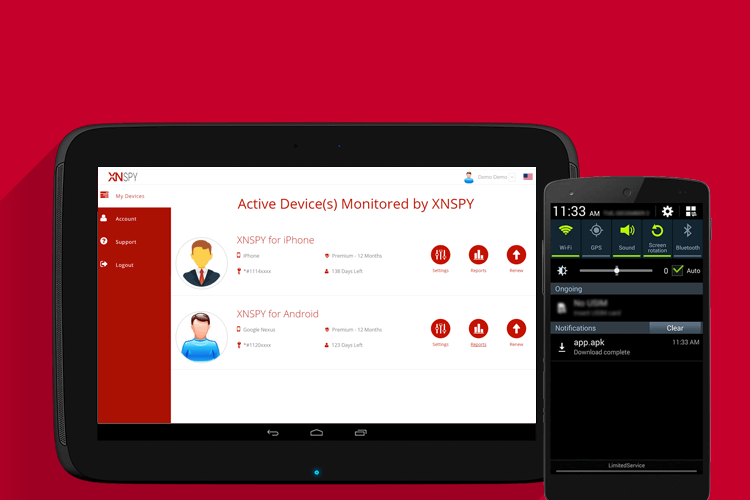
    Looking for the best mobile spy software doesn’t always have to be the biggest hassle. Go for apps that have a reputation for being active and reliable, even if you have to pay a small price for their service. XNSPY is one such application that serves employers and parents around the world through their monitoring services. They have around 40 features, and you can buy as few or as many of them depending on which package of theirs you choose. They have a 24/7 customer support service, and they are available on all App Stores as well.

    You can also tell that they’re the real deal by the fact that they keep upgrading themselves. Just recently, they’ve added Kik monitoring and Screenshot monitoring to their list of services. So by paying just around $8, you can have yourself an authentic and reliable monitoring experience.