Tag: server

  • 6 Things to Know Before Buying a Server for Your Enterprise

    Buying servers can feel complex, but it does not have to be. You need to know that the right plan turns confusion into clear steps, and that means you would want gear that fits your needs today and grows with you tomorrow. You also want safety, speed, and simple upkeep. 

    I have written this article to break the process into plain parts so you can act with confidence. I focus on what matters most to your team, your data, and your budget. Most importantly, I do not beat around the buses. Only the choices that move the needle. 

    Read on to learn how to size your setup, match it to your site, and avoid common traps. By the end, you will know what to ask, what to compare, and what to buy for enterprise servers.

    1) Define the workload and right-size capacity

    Begin with the roles your servers must perform. This is especially important because knowing what kind of server your business needs before you get one will prevent future problems. Enterprise servers are robust, scalable systems built for high availability, strong security, and centralized management of critical business applications. So, list the workloads and the number of servers you need, and after that, map those jobs to compute, memory, and storage demand. But remember to think about steady use and peak use. Plan for growth over the next two to three years. A small buffer is smart. A big buffer wastes money. For mixed workloads, separate them by IOPS, latency, and memory needs. That keeps noisy apps from crowding quiet ones.

    Quick checks:

    • What apps are mission-critical
    • How many users need service at once
    • Peak hours and seasonal spikes
    • Data growth per month and per year

    2) Choose a form factor that fits your space

    Your site shapes your choices. Racks save space. Towers can be fine for small rooms. Blade or sled systems offer high density in larger sites. Check the weight per rack unit and the power per rack before you buy. Measure the depth of your rack and your rails. Plan clear airflow from front to back. Leave space for cables and for hands. Keep a few open rack units for growth and for airflow.

    Helpful tips:

    • Confirm rack width, depth, and door clearance
    • Use cable managers to keep paths clean
    • Label power cords, data links, and rails

    3) Match CPU and memory to real demand

    CPU cores and clock speed drive compute. Memory size drives how many tasks you can keep hot. Balance both. Many light VMs like more cores. A few heavy apps may want faster cores. Databases and analytics often need high memory. Avoid memory that runs below system specs since it can bottleneck the box. Check your app vendor guides for core to memory ratios. Leave headroom for bursts and updates.

    Rules of thumb:

    • Size for average use plus a 20 percent buffer
    • Keep memory channels full for the best bandwidth
    • Align vCPU to physical core ratios with app guidance

    4) Design storage for performance and safety

    Storage is more than size. It is speed, latency, and resilience. Use solid-state drives for hot data and fast boot. Use hard drives for large archives. Pick the right RAID level for the job. Mirror for speed and fast rebuilds. Parity for space efficiency. Mix tiers when budgets are tight. If you run databases or VDI, check your IOPS and latency targets. Cache can help smooth spikes. Always test restore speed, not only backup speed.

    Key choices:

    • SSD versus HDD by tier
    • RAID level by workload
    • Local versus shared storage
    • Backup and offsite copies

    5) Plan network layout for scale and uptime

    Your network is the backbone. Use dual network links for each server. Separate management, storage, and user traffic. Start with 10 GbE or higher in new builds. Keep latency stable for storage and voice. If you use virtualization or containers, plan for overlay networks and VLANs. Map each port to a purpose and label it. Use quality switches that support flow control, link aggregation, and clear monitoring.

    Network checklist:

    • Redundant top-of-rack links
    • Separate planes for data and management
    • Time sync across all nodes
    • Clear change control

    6) Power, cooling, and acoustics

    Servers draw steady power and make heat. Size your power feeds and UPS for peak load plus growth. Use dual power supplies in each server. Spread power cords across separate circuits. Keep cold aisles cold and hot aisles hot. Replace clogged filters. Track inlet temperature and humidity. If the server room is near staff, check noise levels and plan for sound control. Solid airflow planning boosts life and lowers cost.

    Practical moves:

    • Measure rack power and set safe limits
    • Use blanking panels to stop recirculation
    • Test UPS runtime under real load

    Conclusion

    Good enterprise servers start with clear needs, a clean design, and sound habits. When you focus on workload fit, space fit, and network health, you avoid most traps. 

    Add smart storage tiers and steady power. Put security and patching on a schedule. Track costs across years, not months. Keep support paths simple and spare parts nearby. With these steps, your team can buy with calm and operate with ease. 
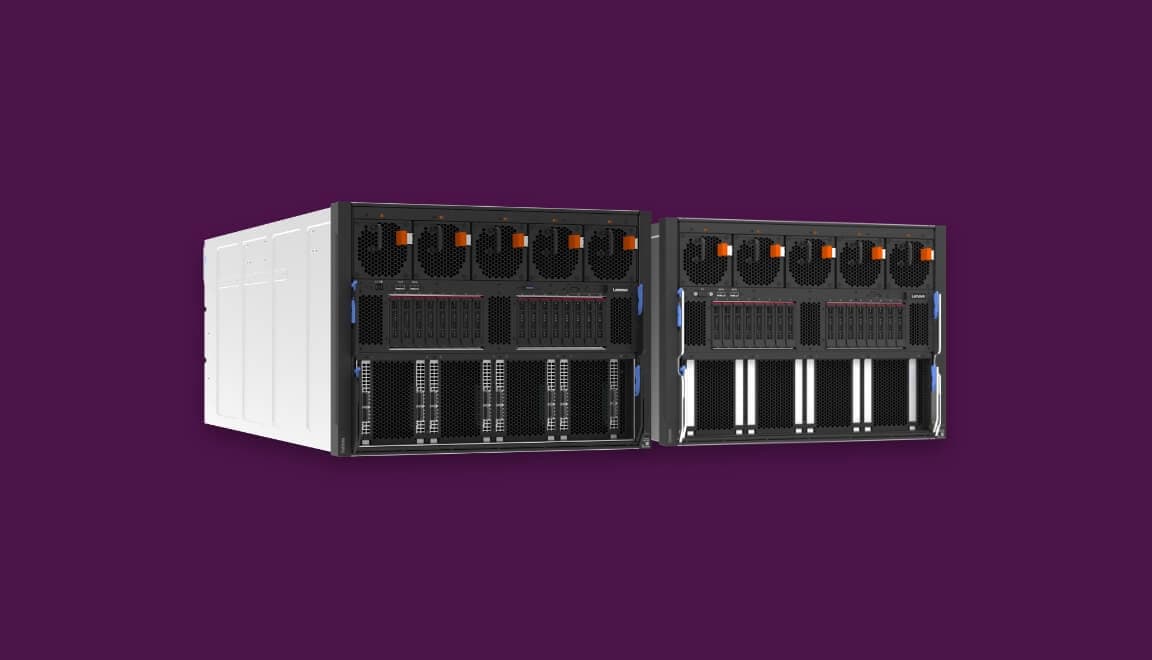
  • 5 Smart Ways to Maximize Space With High-Density Rack Servers

    Data centers face a growing challenge today. Floor space costs money, and every square foot matters. High-density rack servers offer a solution that many businesses overlook. These powerful systems pack more computing power into less physical space. Your server room can handle increased workloads without expanding the footprint. 

    The technology has progressed a lot in the past few years. The differences between the waste of resources and the highest efficiency are made by clever deployment strategies.. You need practical approaches that deliver real results. 

    This guide reveals five proven methods to maximize your data center space using high-density rack servers. Each strategy builds on real-world applications and tested solutions.

    1. Deploy Blade Server Architecture for Maximum Efficiency

    Blade servers revolutionize space utilization in modern data centers. These modular systems fit multiple server racks into a single chassis, enabling faster scaling and freeing up rack space for critical network or storage equipment . Your rack space becomes far more productive instantly.

    Each blade operates as an independent server with dedicated resources:

    • Individual processing units work simultaneously.
    • Shared power supplies reduce redundancy.
    • Centralized management simplifies operations.
    • Hot-swappable components minimize downtime.
    • Integrated networking reduces cable clutter.

    The chassis design eliminates duplicate components across servers. Power supplies and cooling fans serve multiple blades at once. This approach cuts both space requirements and energy consumption.

    Calculating Your Blade Server Capacity

    Start by assessing your current server count and rack utilization. 

    • Blade systems typically fit 8-16 servers in a space that held 2-4 traditional units. The math favors density without question.
    • Your infrastructure team should measure available rack units carefully. Standard blade chassis occupy 5-10U of rack space. This configuration delivers computing power equivalent to multiple traditional racks.

    2. Implement Vertical Scaling With Tall Rack Configurations

    The default option for conventional data centers is the standard 42U racks. The use of taller racks enables extra capacity to be accessed without the need for floor space expansion.. Your facility gains computing power through vertical expansion.

    rack server

    Modern infrastructure supports racks up to 52U in height. This increase adds 10 additional rack units per installation. The benefits multiply across your entire server room.

    Consider these advantages of tall rack systems:

    • 24% more usable space per rack footprint.
    • Reduced aisle space requirements.
    • Lower per-server deployment costs.
    • Improved airflow management options.
    • Better cable management possibilities.

    Optimizing Your Vertical Space Strategy

    Weight distribution matters significantly in tall rack deployments. Heavy equipment should sit near the bottom for stability. Lighter components and networking gear work well in upper positions.

    Your team needs appropriate equipment for maintenance at height. Service platforms or proper ladders become essential tools. Safety protocols must address working above standard reach.

    With more business options for rack servers, the market is continuously growing. The data center rack market is estimated to exceed $247.09 billion by the end of 2032

    3. Embrace Liquid Cooling Systems for Increased Density

    Air cooling reaches its limits at high server densities. Liquid cooling systems enable far greater equipment concentration. Your data center breaks through traditional thermal barriers.

    The physics of liquid cooling surpasses air-based approaches dramatically. Water is 25 times more effective as a heat carrier than air. The water-aided cooling allows for a closer setting of the servers without overheating.

    Understanding Liquid Cooling Technologies

    Several liquid cooling methods serve different density needs. Direct-to-chip cooling targets processors and high-heat components specifically. Rear-door heat exchangers cool entire racks without facility modifications.

    Implementation costs vary significantly across cooling technologies:

    • Rear-door heat exchangers require minimal infrastructure changes.
    • Direct-to-chip systems need specialized server components.
    • Immersion cooling demands purpose-built tanks and systems.
    • Hybrid approaches balance cost against density gains.

    4. Leverage Virtualization to Consolidate Physical Hardware

    Virtualization technology multiplies the value of each physical server. Multiple virtual machines run on a single hardware platform. Your space efficiency increases without adding equipment.

    Traditional one-application-per-server approaches waste tremendous capacity. Modern processors sit idle 85-90% of the time ,typically. Virtualization captures this unused potential effectively.

    Server consolidation through virtualization delivers measurable benefits:

    • Reduce physical server count by 70-80%.
    • Lower power consumption dramatically.
    • Simplify backup and disaster recovery.
    • Enable rapid deployment of new systems.
    • Decrease cooling requirements substantially.

    The technology creates logical separation between applications. Each virtual machine operates independently despite sharing hardware. Your infrastructure becomes more flexible and responsive.

    5. Adopt Micro Servers for Specific Workload Optimization

    Micro servers target specific applications with right-sized resources. These compact systems eliminate the overhead of full-scale servers. Your density increases for certain workload types dramatically.

    Web serving and content delivery benefit most from micro servers. These tasks need many small servers rather than a few large ones. The architecture matches workload characteristics perfectly.

    Each micro server includes:

    • Low-power ARM or Atom processors.
    • Minimal memory for specific tasks.
    • Integrated networking capabilities.
    • Extremely small physical footprint.
    • Reduced power consumption per node.

    Hundreds of micro servers fit in spaces holding dozens of traditional units. Your capacity scales horizontally with minimal space impact. The approach works exceptionally well for distributed applications.

    Identifying Micro Server Opportunities

    Application analysis reveals which workloads suit micro servers best. Stateless web applications transition easily to this architecture. Database servers typically require traditional hardware instead.

    • Power efficiency reaches peak levels with micro server deployments. 
    • Each node consumes 5-15 watts compared to 300-500 watts for traditional servers. 
    • Your energy costs drop while performance meets requirements.

    Conclusion

    High-density rack servers deliver compelling benefits when deployed strategically. Your data center transforms from space-constrained to capacity-rich. The five approaches outlined here provide concrete starting points.

    Begin by assessing your current utilization and identifying immediate opportunities. Blade servers might solve urgent capacity needs quickly. Virtualization offers software-based gains without hardware purchases. Long-term planning should incorporate multiple strategies together. Tall racks combined with liquid cooling push density boundaries further. Micro servers handle specific workloads while traditional systems run core applications.

    The technology continues to advance rapidly each year. Start implementing these strategies today and watch your data center capacity multiply without expanding walls.

  • 4 Types of Servers Every Business Should Know About

    In most modern companies, work stops the moment a key server fails. Teams cannot log in, orders freeze, and customers see error pages instead of the company’s site. In reality, a business’s digital setup uses several types of servers, each with a clear role.

    When you know these roles, it is easier to plan budgets, talk with vendors, and reduce risk. You can also match the right type of server to each business need. 

    In this post, we will look at five important types of servers from a business point of view. You will see how each server supports customers, protects data, and helps your teams work with less stress.

    1. Database Server

    A database server holds the records that keep your company running. This means that other systems that the company has sent queries to the database server for accessing the data required for tasks. Orders, invoices, product lists, customer histories, and reports are all stored in this system. When it receives the query, the server then finds and returns the right data, often in a fraction of a second. 

    From a business angle, the database server supports:

    • Reliable storage for key business records
    • Fast search so staff can answer customer questions
    • Data access control for privacy and compliance
    • Backup and recovery after a failure or human error

    Many firms use a primary database server with one or more replica servers. If the main server fails, a replica server can take over. Some teams also split data across more than one database server to handle very large workloads.

    When you plan budgets and roadmaps, treat the database server as a core asset. A failure here can slow or stop billing, shipping, and reporting. Clear rules for who may access which data on the server also reduce risk and support audits.

    2. Web Server

    A web server is the front door of your brand online. When a customer visits your website or online store, their browser talks to your web server. The server sends back pages, images, and other content so the site loads. If the web server is slow, every visitor feels it. If the server is down, your brand seems closed.

    For a business, a web server should:

    • Keep your main site and landing pages live and quick
    • Handle traffic spikes during campaigns and events
    • Work well with tools like CDN and cache
    • Support secure connections to protect customer data

    Most growing firms use more than one web server. Extra servers share the load and keep the site up if one server fails. This approach lets your team update one web server at a time. The site stays online while changes roll out. A strong web server plan protects revenue and customer trust.

    3. Application Server

    Many core business tools depend on an application server. When staff use a CRM, ERP, booking tool, or custom line of business app, the app usually talks to an application server in the background. The device sends user actions to the server. The server checks rules, runs logic, and sends back results.

    From a B2B view, the application server is where your business rules live. It decides how prices are set, how stock is checked, or how leads move between sales staff. One application server can support many users across teams and offices.

    As your company grows, you can add more application servers. This helps you in three clear ways. First, it keeps performance smooth during busy periods. Second, it allows planned downtime on one server while others stay live. Third, it supports regional setups where each office uses a nearby application server. This design keeps the user experience fast and stable.

    4. File Server

    A file server holds shared files for teams. In many offices, staff store documents, templates, and media on a central file server instead of on each laptop. In the cloud, a hosted file server may play the same role. Any device with the right access can open or edit files on the server.

    For a business, a well-planned file server can:

    • Give teams one trusted place for shared documents
    • Cut the number of different file versions in email chains
    • Make backup simple for the whole department
    • Enforce access rights for each team and role

    As a company grows, more storage and new file shares are often needed. Some firms add a second file server for large teams or heavy media work. 

    A clear folder layout and naming system on the server saves time for staff. People know where to save and where to find files. This leads to smoother onboarding and better knowledge sharing.

    Conclusion

    For modern companies, servers are like the core utilities in an office. A web server brings customers to your digital front door. An application server runs the rules that shape your services. A database server guards your records. A file server shares working documents. A mail server keeps daily communication flowing.

    When leaders understand these five types of server, they make better choices with vendors and internal teams. They can match each server to clear business goals, such as faster sales cycles or stronger data protection. They can also plan for growth by adding servers in the right places, instead of reacting only when a crisis hits.

    Use this overview as a guide in talks with your IT staff or service providers. Ask which server runs each key process and what happens if that server fails. Clear answers will help you build a more stable and trusted digital base for your clients and your people.


  • How to Choose the Right Server for Your Business in 2026

    For most modern companies, the server is the most important part of the digital workspace. It runs core software, stores data, and keeps teams linked. 

    A smart purchase can improve speed, protect data, and support growth. But the wrong one can slow teams and damage trust with clients. This means that it is not only a technical step but also a key business choice.

    But every business has different goals and risks. For example, a finance firm, a factory, and a small agency will not have the same requirements. So the process must be clear and based on facts. 

    When you understand the main options, you can match them to real requirements. Also, good planning avoids surprise costs later. 

    In the end, the right servers help the company stay stable, safe, and ready for change. And this article will explore the steps you can take to choose the right one, so keep reading to find out more.

    Decide Business Needs Before Any Decision

    A firm purchase decision starts with a simple question: “What does the business need the system to do each day?” 

    This is why, before making a server purchase, the IT team should list the core applications and data in a simple catalog, and it must include email, customer systems, shared files, and line-of-business tools that support daily work. It should also note links with cloud software, branch offices, and plant equipment. 

    After this, the team can mark which services must run at all times and which can stop for short periods. As a result, this improves the system and turns a basic purchase into a clear plan for business support.

    Key steps can be written as simple points:

    • List all critical systems and data that exist.
    • Rank each system by impact on revenue and operations.
    • Note peak times when demand is highest.
    • Check legal or industry rules that affect data use.
    • Estimate how these needs may grow in the next few years.

    These points give a clear map. Any purchase can then be tested against this map to see if it fits.

    Choose Between On-Site and Hosted Options

    There are many ways to run business systems today. For example, some companies still want hardware in their own building or data center. This gives direct control over hardware, power, and access. 

    Other companies prefer hosted servers in a third-party data center or cloud platform. This can reduce the need for in-house space and power. It may also allow faster scaling when demand rises. 

    But in many cases, a purchase now includes a mix of on-site and hosted resources. So, the right mix depends on risk, control, and cost goals that are clear to all stakeholders.

    Focus on Performance and Capacity

    Once the business model is clear, the team can look at technical size. This means they should focus on core areas such as processor power, memory, storage, and network speed. 

    Strong processors help when many tasks run at once, and enough memory keeps key tools responsive even during peak use.

    To keep things simple, the team can review:

    • Processor: Number of cores and overall speed for main workloads.
    • Memory: Enough RAM for current users with space to grow.
    • Storage: Mix of fast solid-state drives and large capacity disks.
    • Network: Links that support traffic inside the office and to the internet.
    • Growth room: Extra slots and bays for future upgrades.

    Well-planned designs balance these parts to avoid common bottlenecks and support stable performance.

    Plan for Reliability and Security

    Business systems must stay online and safe. If they’re not kept safe, then a single fault can stop orders, support, or plant systems. 

    To reduce this risk, the design can use redundant parts and clear security rules.

    Important points include:

    • Dual power supplies and backup power.
    • Multiple network links so traffic can move if one link fails.
    • Mirrored or RAID storage to protect against disk failure.
    • Regular backups are stored in a secure second location.
    • Strong access control with clear roles and approvals.
    • Regular patching and updates.
    • Central logs and alerts so issues are seen and handled fast.

    When a company plans a purchase, it should also plan backup, recovery, and drills for major incidents.

    Conclusion

    The choice of servers and platforms is a long-term bet on the future of the business. A rushed decision can lock the company into weak performance and rising costs. 

    A planned approach starts with clear goals and risk limits. It then links those needs to the right mix of technology. This choice also shapes how partners and customers see the brand.

    By mapping workloads, comparing on-site and hosted designs, and checking full life cost, leaders can set a stable base for digital work. Reliable systems support secure data, steady service, and room for growth. 

    When systems run well, staff can focus on value instead of constant fixes. A careful purchase, backed by good partners and sound processes, helps the company stay resilient in a changing market.